Mechanical Insulation Takeoff In Minutes
Take off pipe, duct, and equipment. Define insulation conditions. Export organized quantities into your existing pricing workflow.
From Plan Review To Your Pricing Sheet
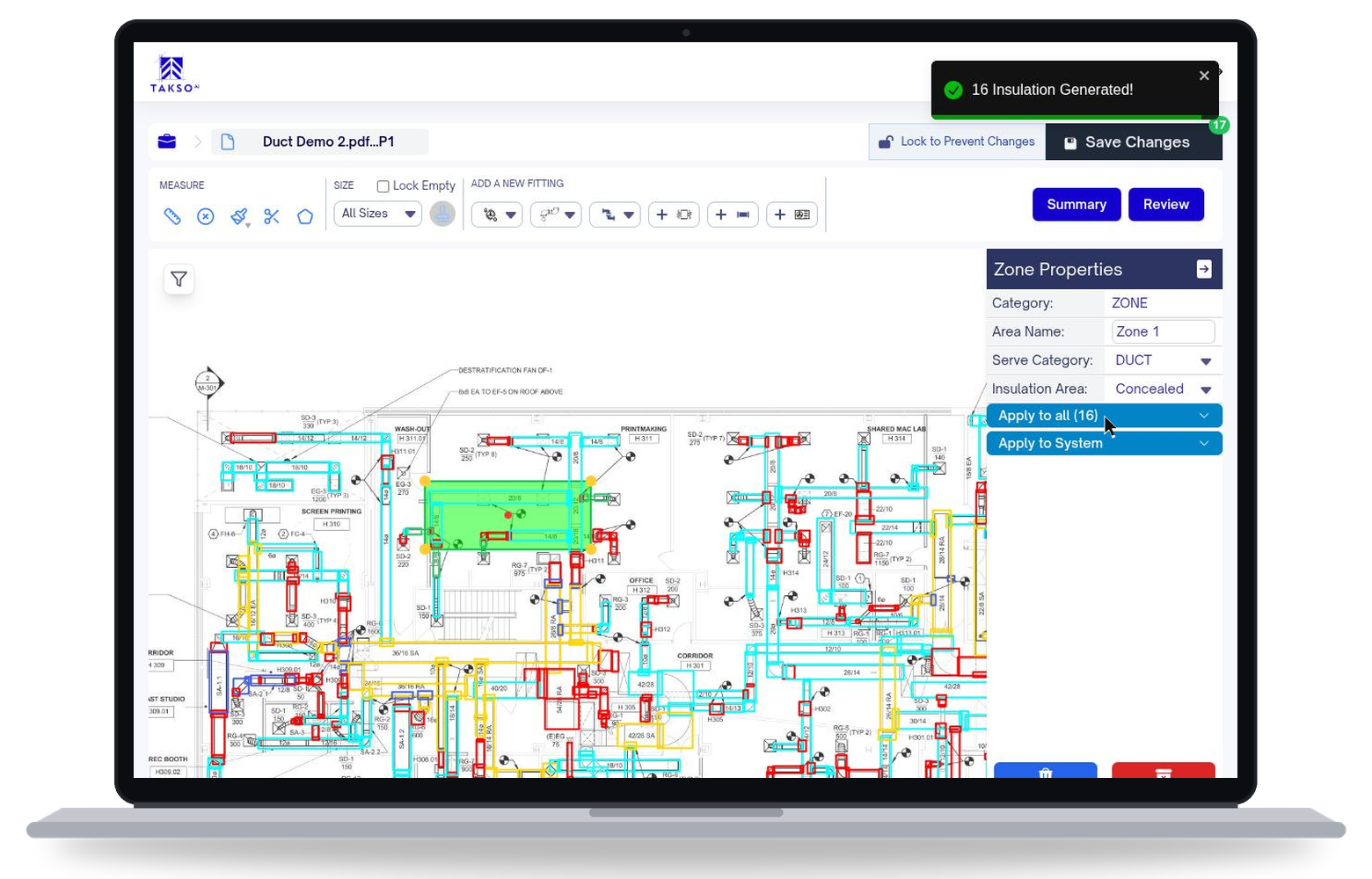
Insulation is applied on the plan, and quantities recalculate as you edit.
Run The Takeoff
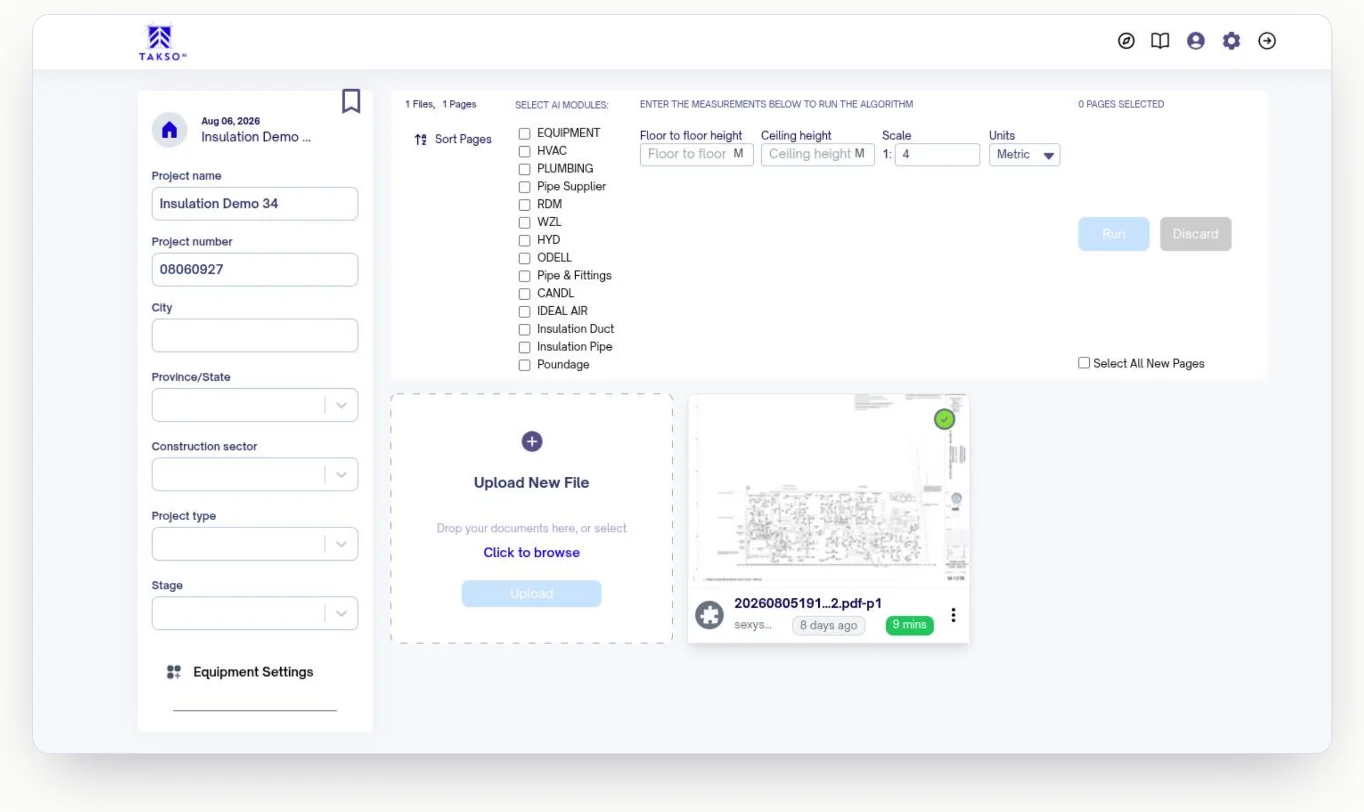
Upload plans, pick the systems to detect, and set the scale. AI-assisted plan review identifies pipe, duct, equipment, and mechanical scope.
Sample interactive demo. Drag on the drawing to try brush correction.
Review & Refine
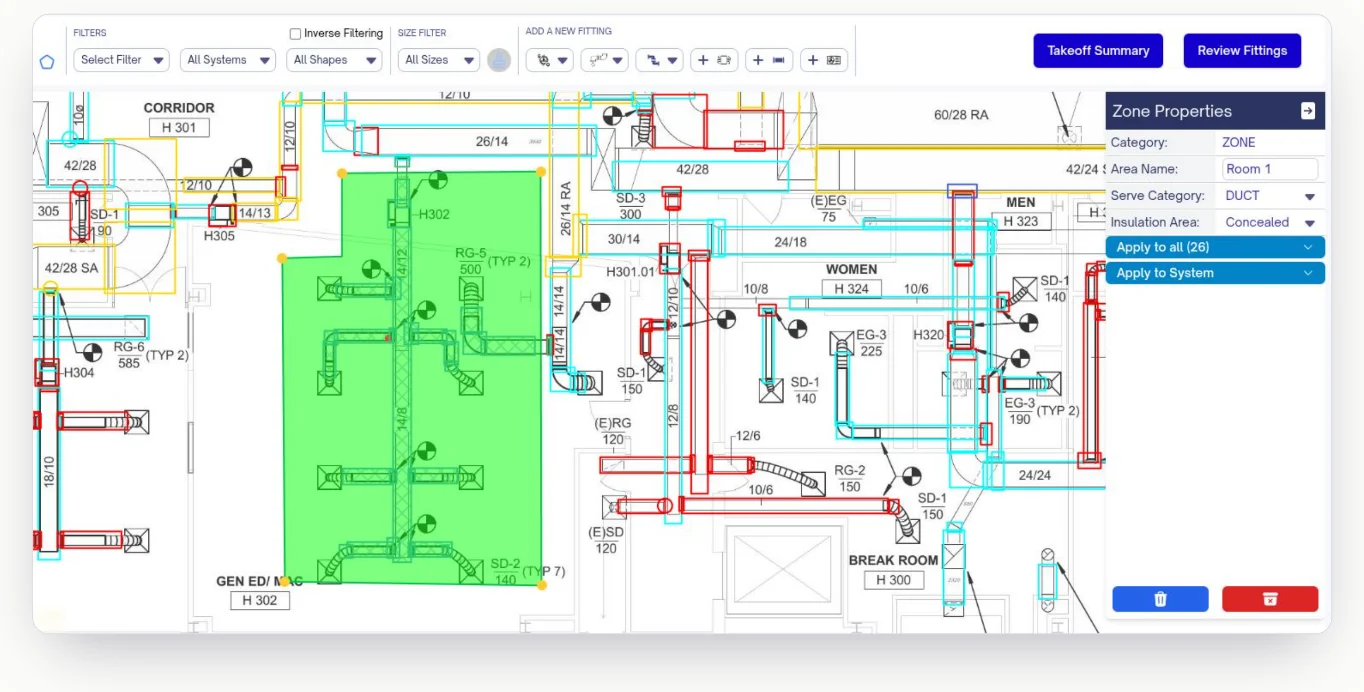
Check every duct and pipe the AI found, and fix anything it missed. Filter by system, shape, or size while you work.
Apply Insulation
Set a default for the plan, then draw zones for exceptions and alternates. Cladding, thickness, insulation type, and exposed or concealed all get set in one pass.
Export And Price
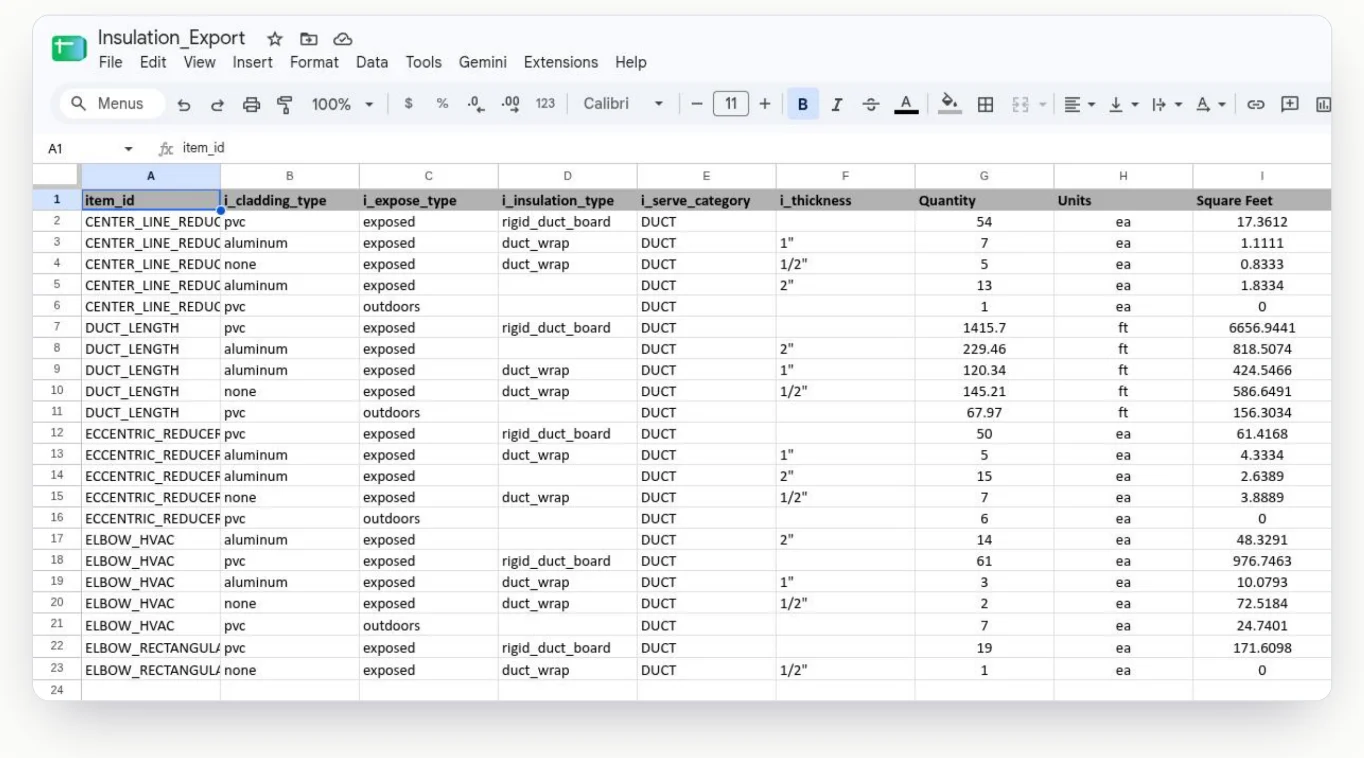
Send structured quantities to Excel or CSV, itemized by cladding, exposure, insulation type, thickness, and square feet, in the formats your estimating workflow already uses.
Tools We Developed With The Help Of Estimators
Inverse Filtering
Filter out what's already detected to instantly spot what wasn't. Nothing on the drawing gets left off the sheet.
Sample interactive demo. Toggle inverse filtering to see what remains.
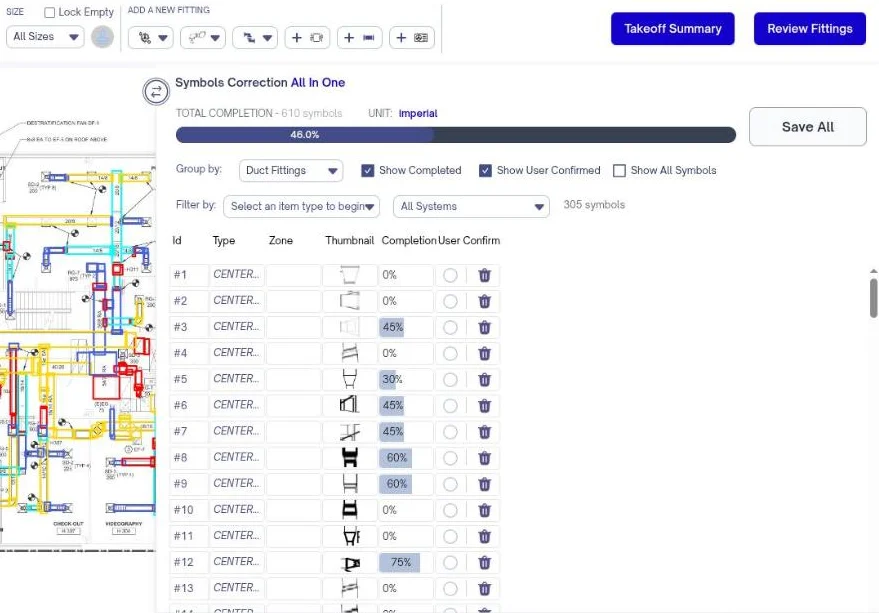
Review Panel
Check every fitting's attributes and takeoff completion status in one view, grouped by type and confirmed as you go.
Area Tools
Define areas for exposed and unexposed.
Organized Material Quantities
Square feet or square metres, itemized by attribute.
Flexible Exports
Excel + CSV, in the shape your pricing sheet expects.
See It On Your Drawings. No Obligation.
Pick a time and bring a set you know well. We'll run the insulation workflow on it and show you where the quantities land.
Loading the booking calendar.
Open the booking calendarCalendar not loading? Book the same demo on Calendly.